

'We love your e-book! ...
Our clients think we are gods!!!!!'
by Charley Kyd,
MBA
Microsoft Excel MVP
The quote above is from a reader who thanked
me for writing "Dashboard Reporting With
Excel."
Other
readers have told me how their boss or their Board of Directors love their Excel
dashboard reports.
Still other readers have told me about their engineers, or doctors and nurses, or managers,
or sales
teams, or accountants, or some other profession. They all love their Excel
dashboard reports.
This
is great news for many Excel users. In a weak economy, it's nice to be
appreciated.
At
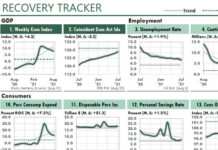
first glance, it's obvious why people in business want dashboard reports like these. Their old Excel
reports were as dull as tax tables, but Excel dashboard reports are interesting!
That's not the end of the story, however. Excel dashboard reports offer your company or your
clients more important benefits than merely an easy read.
Excel dashboards can help your bottom line.
Bottom-Line Benefits of Dashboard Reporting With Excel
Dashboard reporting with Excel can help your bottom line in several ways. Here are
three of the most important:
1. Excel dashboards offer quick insight!
The people who read your Excel reports are looking for insight about better ways to help
your company succeed. They want to know what's going well or what's going badly. They're
looking for problems or opportunities. They're looking for useful ideas.
With a few dashboard reports, your readers can gain this insight quickly. They don't need to
dig through pages of columns of numbers, trying to find meaning in data.
2. Excel dashboards can display any data your managers need.
Do your managers need reports with data about your competitors? Or failure rates? Or headcounts?
Or exchange rates? Do they need data from legacy systems that don't talk to your other
computer systems?
One way or the other, you can get any data you need into Excel, and then into your Excel
dashboards.
3. Excel dashboards are low-cost and low-risk.
Commercial dashboard software can cost hundreds of thousands of dollars. But you already own
Excel. For all practical purposes, Excel dashboards are free.
And you risk nothing when you buy my dashboard book. I offer a one-year no-questions-asked
guarantee.
You Can Create Reports of This Quality
The video at the link above demonstrates the dashboard report that my
e-book shows you how to create from scratch. Thousands of Excel users
have already created their own dashboards using this book.
And you can too.
Do you doubt it? Just glance through the testimonials on this
page. You'll find enthusiastic notes from Excel users working...
| "...the use of dashboards saved me hours & hours of time
every month." |
...on at least four continents.
...in very large and very small companies.
...in Finance, of course, but also in marketing, support areas,
operations, executive offices, and engineering.
...in many industries, including pharmaceuticals, banking, health
care, transportation, consulting, wood products, airlines,
universities, communications, travel, oil, automotive, newspapers,
and even a ministry.
...at all levels, from presidents and owners of companies, to
Excel users just out of school.
If they can create Excel dashboards, you can too!
How I Invented Spreadsheet Dashboards...And Why!
When I worked as a management accountant I used to print tall stacks of spreadsheet reports
like the ugly ones at the top of this page. I worked hard on
those reports.
But my audience usually didn't appreciate my hard work. In fact, they often groaned when they got
my reports.
The reason was obvious. My reports were too much work
for busy managers to read and
understand. My reports provided facts, but no insight.
And that wasn't my only reporting problem.
| "It has saved me vast amounts of time." |
Each period, I worked long hours to prepare those reports. I had to
import the data, sort it, merge it, rearrange it, error-check it, and
print it. I had to do the same thing for the next report, and the next. Then, in a week or a month, I had to
do that same work
all over again.
I spent too much time processing the data, and too little
time using it to improve company performance. I spent too much time
in spreadsheet hell!
Then I discovered two articles from the Harvard Business Review.
A 1978 article was titled "Graphic shorthand as
an aid to managers." It was written by the VP Finance
of one of Mexico's largest companies at the time. It showed how the
author's company
reported performance using many small charts on one page.
 |
| These Excel dashboard reports are based on examples
and figures from the Harvard Business Review,
Forbes, the Wall Street Journal, and Business
Week. |
A 1980 article was titled "Graphic indicators of operations." Written by
a manager at one of the Big Eight accounting firms, it showed how to use
many small charts and tables on a page to serve as a business early
warning system.
I looked at the easy-to-read examples in those articles. Then I
thought of the dreck that I was producing. And I was shamed by the
comparison.
So I grew determined to create easy-to-read reports in my
spreadsheets.
I began the work about 1980, using VisiCalc. When Lotus 1-2-3
was introduced I switched to that program. In my first book, Financial
Modeling Using Lotus 1-2-3,
which I wrote for McGraw-Hill, I devoted a chapter to the "mini-chart" techniques that I had developed.
Then, after Excel hit the market, I figured out how to convert my Lotus
mini-graphs into magazine-quality dashboards like those above. I've been
doing this a long time!
The Advantages of Excel Dashboards
With the help
of just a few simple techniques, Excel can offer significant
power to generate high-quality, low-cost, low-maintenance dashboards.
Here are some specific reasons that using Excel dashboards is a good idea
for any business:
Because Excel dashboard reports require no software other than Excel, this method
is free. "Real" dashboard software can cost many thousands of
dollars.
Excel can generate "magazine-quality" reports, as shown in the
videos.
Excel can display data from any number of sources, of any kind, using
virtually any design...all in one report.
Excel users can update their reports in seconds...reducing Spreadsheet Hell significantly.
(The second video above illustrates this point.)
| "...have learnt more from your publication than from any of the courses that I have attended." |
Excel users can create magazine-quality Excel reports on their own.
Excel developers aren't needed. Nor is the IT department.
Because we can change our Excel reports quickly, we can respond quickly
to our companies' changing information needs. We don't need to wait for help
from programmers and consultants.
Excel's reports can trap errors that standard reports ignore.
The techniques you learn for Excel dashboard reporting can improve your
other Excel reports and analyses.
There's only one book that explains how to use Excel for
such powerful reporting: Dashboard Reporting With Excel.
What Kind of Data Can Your Excel Dashboards Display?
Excel dashboards can
display virtually any business data. Although the book's examples
typically use financial information, you easily can substitute your own data.
To illustrate,
you can find a note at the bottom of this page from an engineer who
uses his Excel dashboards for energy savings analyses.
"I still think that dashboard reports are one of the neatest things
I've ever done in Excel," he writes.
"Initially, I was using a dashboard to report energy usage for
monthly management meetings. I followed on from that by using them to
create PPM & TPM summary reports. In all these areas the use of
dashboards saved me hours & hours of time every month."
We're not sure what PPM and TPM reports are, but we're pretty sure
that they have nothing to do with Finance.
Do
You Need the Excel Files With the Book?
I want to make sure that you have everything you need to create your
own Excel dashboard reports. So in addition to the e-book, I've
assembled many accompanying
workbooks to help you.
The order form refers to "21 Excel files." But at last count,
there were 23 of them.
If you plan to connect your dashboard reports to an Excel
database, these files provide a significant benefit: They provide
many examples of the formulas needed to connect your dashboard
workbook to your database.
Here's a summary of the files:
The dashboard report shown in the first video, which the book shows you how
to create.
Four Excel database workbooks that supply data to the dashboard
report.
| "...made a big splash here at the office." |
The
three working dashboards shown in the second video, and the "Acme" database
they link to.
Databases of actual public financial data for Microsoft, General
Motors, and Procter & Gamble. The three dashboards can link easily to any of this data.
Six Excel workbooks that show
Excel versions of figures from business magazines.
The traffic-light workbook demonstrated in a video above.
An Excel workbook that uses the ExcelUser color scheme,
which helps to illustrate the section in the e-book that explains
how to set up your own colors in Excel.
The special
Postage Stamp report that can display 110
charts on one printed page. It includes a well-documented macro that
populates the page.
The workbook shown in the trio of videos that demonstrate Excel's
hidden power.
These files normally are priced at $29.95. But
if you buy them bundled with the book, you pay only $19.95, a 33%
savings.
Frequently Asked Questions about the Book
How soon will the book arrive?
Almost immediately. Within minutes after you place your order you'll
receive an email message with download links. Just click the links to
download your book and files.
What if I don't like the book?
No problem. We offer a one-year money-back guarantee.
I'm an Excel expert, but my co-worker can hardly spell the word. Won't
one of us be disappointed?
Probably not. Less than 1% of our readers have asked for their money
back. Of these, about 40% thought the book was too simple and 60%
thought it was too advanced. So both of you probably will benefit from
it.
| "...I have really ramped up my Excel skills and made some tricky reports a breeze!" |
If my hard drive crashes can I get another copy?
No problem. This happens all the time, unfortunately. Just send me an
email message and I'll send you another download link.
Can I buy your book without giving you my credit card information?
Certainly! You can send us a check or even a wire transfer. Just
email me for further instructions. However, I will say that
we've sold thousands of books by credit card and haven't had one
security problem.
Can I get a receipt so my company will reimburse me for the book?
No problem. You'll receive one type of receipt within minutes of
purchase. If its format doesn't meet your needs, just
email me. I'll send you another version with more complete
information. And if that doesn't work let me know. One way or
the other, I'll get you what you need.
Important...
1. We offer a one-year, unconditional
money-back guarantee.
2. We send
a receipt automatically. If your company needs a different
format to reimburse you for your purchase, we'll work to get you
what you need.
3. We respect your email
privacy.
|
Download Dashboard Reporting With Excel immediately...
 |
| For Classic Excel (97 - 2003) |
|
| --The ebook
only |
$29.95 |
| --21
sample files
(save $10) |
$19.95 |
|
 |
| For New Excel (2007)
|
|
| --The ebook
only |
$29.95 |
| --21
sample files
(save $10) |
$19.95 |
|
 |
| Both versions (a
30% savings) |
$69.95 |
|
...or, download our bundle with Dashboard Reporting With Excel, plus the 21 sample files,
plus our Plug-N-Play #1 dashboard kit...
 |
| For Classic Excel (97 - 2003)
(Get the PNP for half price.) |
$64.95 |
|
 |
| For
New Excel (2007)
(Get the PNP for
half price.) |
$64.95 |
|
 |
| Both versions
(A savings of $39.75.) |
$119.95 |
|
Your order will be delivered immediately in one Zip
file for each product ordered.
We
accept Visa, Mastercard, American Express, and Discover.
Here's some additional information about ordering:
If you need a receipt so that your company can reimburse you for your
purchase, please
let me know after you've purchased the kit.
If you have any problems downloading or un-zipping the file,
contact me immediately. I'll make sure to get you what you need.
Download Dashboard Reporting With Excel immediately...
 |
| For Classic Excel (97 - 2003) |
|
| --The ebook
only |
$29.95 |
| --21
sample files
(Save $10.) |
$19.95 |
|
 |
| For New Excel (2007)
|
|
| --The ebook
only |
$29.95 |
| --21
sample files
(Save $10.) |
$19.95 |
|
 |
| Both versions
(Save 30%.) |
$69.95 |
|
...or, download our bundle with Dashboard Reporting With Excel, plus the 21 sample files,
plus our Plug-N-Play #1 dashboard kit...
 |
| For Classic Excel (97 - 2003)
(Get the PNP for half price.) |
$64.95 |
|
 |
| For
New Excel (2007)
(Get the PNP for
half price.) |
$64.95 |
|
 |
| Both versions
(Save $39.75.) |
$119.95 |
|
"Your E-Book is amazing. I consider myself an Excel expert, but I have already picked up a few items I was not aware of and I have only read the first three chapters. I expect to purchase more of your e-books for my finance team. This book is
better than any
Excel class I have ever taken!"
Jeff Smith
CFO
Montefiore Home Health Program/Medical Group
"I love the product! The dashboards are great and the book is very helpful and well written."
Kelly L Martin
Senior Research Analyst
Ministry of Children and Family Development
"I am just writing to tell you about how helpful your book has been...
"I am sending you the advance I have achieved so far. The report is incomplete because all the information for it is still being generated. But I wanted to share it with you...
"Your book is well written and very clear on every explanation."
Luis Iturriaga
Quality Systems Consultant
Ingeniería, Calidad y Competitividad
"We'll need to train the different levels of management before we distribute our dashboards. Most of them hate this, of course, because with limited reports they were not held accountable for results. Now they will be, and their bonus will be tied to the results achieved and measured.
"You have no idea how much your publication "Dashboard Reporting with Excel" has helped me and my clients."
Leslie Jedrychowski
Consultant
KnowledgeVantage
"Thank you very much for the dashboard package. It is
absolutely
brilliant!
I have been an Excel business user for many years and
have learnt more
from your publication than from any of the courses that I have attended."
James Campbell
Client Services Director
Paretian Asset Management
"With your help and the information in your eBook, I’m creating a dashboard report the likes of which my company has never seen. I’m sure I’ll get lots of questions and this
will give me a ton of visibility in the organization."
Scott Papay
Six Sigma Black Belt
Trane Residential
"I purchased your Dashboard this week and can say that
it's the best ever!!!
"I'm so impressed with my purchase that I can't wait to start creating dashboards for all of my KPIs!
"I've attached a file of sales by key account so you can see how far I've progressed in just 48 hours...!!!"
Mike Murphy
Nat'l Specification Sales Manager
IG Lintels
"I wanted to let you know that the product has been
extremely helpful in implementing a new dashboard tool for our department. I've been an
Excel user for over 7 years and the info in your manual has enlighten me many times over."
Chuong Ma
Product Analyst
Triad Financial
"Thanks for the opportunity to buy your book. I thought I
knew a lot about charts. I program extensively in Excel, but
your book shows how much I didn't know. I have seen tips in your book
that I have never seen in countless manuals I have purchased over the years.
"
Richard de Manincor
Developer
Entellitrix Consulting
"Great book! You clearly have been working with Excel for a long time."
Joe Little
President
Jet Reports
"Charley Kyd's
e-book is an unbelievable value
for the price I paid.
"I've seen bonehead, half-baked programs & reporting modules for which my
Fortune 200 company has paid consultants and programmers hundreds of
thousands of dollars. But they can't do half the great things that
Charley's
ideas deliver.
"They're fully customizable, fully adaptable to your business...the way
you need your information.
"The key to great business decisions is the management and reporting of
data. Charley provides the "great reporting" part.
"With fantastic and simple visuals to help the mind grasp the numeric
trends, Charley's work turns my data into a gold mine.
"All the results without the $100K expense. Charley isn't just smart
...he's honest!"
Douglas Wesney
Pricing Manager
Fortune 200 Company
"Thought I'd send you a quick email to update you on my progress with
dashboards.
"It must be well over 2 years since I bought your ebook &
samples. At the time I was engineering manager for Vitafibres in the UK (I
think one of my comments is still on your website somewhere!). I still think
that dashboard reports are one of the neatest things I've ever done in
Excel. Initially, I was using a dashboard to report energy usage for monthly
management meetings. I followed on from that by using them to create PPM & TPM summary reports. In all these areas the use of
dashboards saved me hours
& hours of time every month.
"Since then, I've moved on from Vitafibres, but I'm still using dashboards! I
still don't use them to present financial data (I'm an engineer, after
all!), but I still keep finding other uses for them - currently I'm working
on an Excel application to carry out some detailed energy saving analysis.
This application has a lot of VBA code behind it, but I intend to use a
dashboard for the summary section of the customer report. I think that the
main thing that I've learned over the past couple of years is that
you don't
need to be a genius or an excel guru to create dashboards, but the
applications are almost limitless.
"I think that for me, one of the things that brought home the real usefulness
of dashboards was the first one I created. I presented my report at the
monthly management meeting as usual, but this one included my dashboard
report. No comment was made during the meeting, but afterwards the
divisional director of the fibres division came up to me and said something
along the lines of ' that report was excellent, it summarised all the energy
usage in a clear & readable manner, and now I can get a real feel for our
energy usage & expenditure.....but that report must have taken you hours to
produce'........well ok it took me 4 days to create the template, but I
didn't tell him that producing the report just took me just the time it
takes to click 'print'!
"All I can say in closing is keep up the good work!"
Mark Lees
Control systems engineer
Download Dashboard Reporting With Excel immediately...
 |
| For Classic Excel (97 - 2003) |
|
| --The ebook
only |
$29.95 |
| --21
sample files
(Save $10.) |
$19.95 |
|
 |
| For New Excel (2007)
|
|
| --The ebook
only |
$29.95 |
| --21
sample files
(Save $10.) |
$19.95 |
|
 |
| Both versions
(Save 30%.) |
$69.95 |
|
...or, download our bundle with Dashboard Reporting With Excel, plus the 21 sample files,
plus our Plug-N-Play #1 dashboard kit...
 |
| For Classic Excel (97 - 2003)
(Get the PNP for half price.) |
$64.95 |
|
 |
| For
New Excel (2007)
(Get the PNP for
half price.) |
$64.95 |
|
 |
| Both versions
(Save $39.75.) |
$119.95 |
|
|